Nexus, the software that holds the whole group together.
 Software developed by Bonbay6 min readnexus-engine.eu ↗
Tools piling up, logins copied into messages, decisions lost in chat threads: if that is your daily life, it was ours too. We wrote Nexus first for our own teams, and every project in the group now runs on it.
What Nexus does.
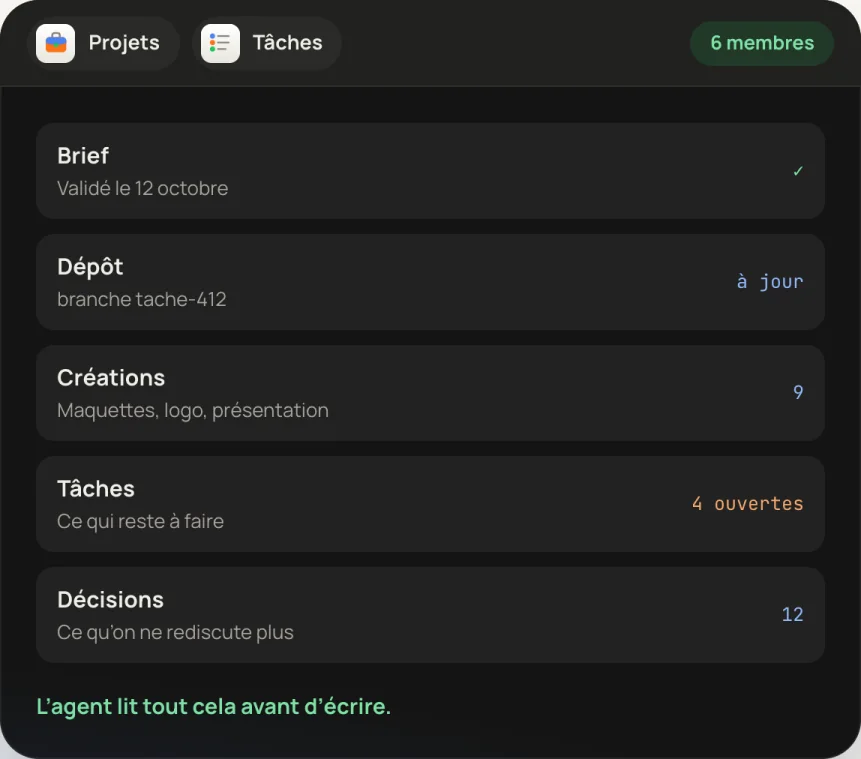
Nexus brings together what an agency or SME usually spreads across a dozen pieces of software: each project’s record and history, live websites and their monitoring, technical credentials, documents, sales and financial management, calendar and messages.
AI agents work on top of this foundation. They read the project before writing, use credentials without ever displaying them and report on every action. Nothing that commits the business, whether a quote, an e-mail to a client or a release, goes out without a person approving it.
What AI agents do with them.
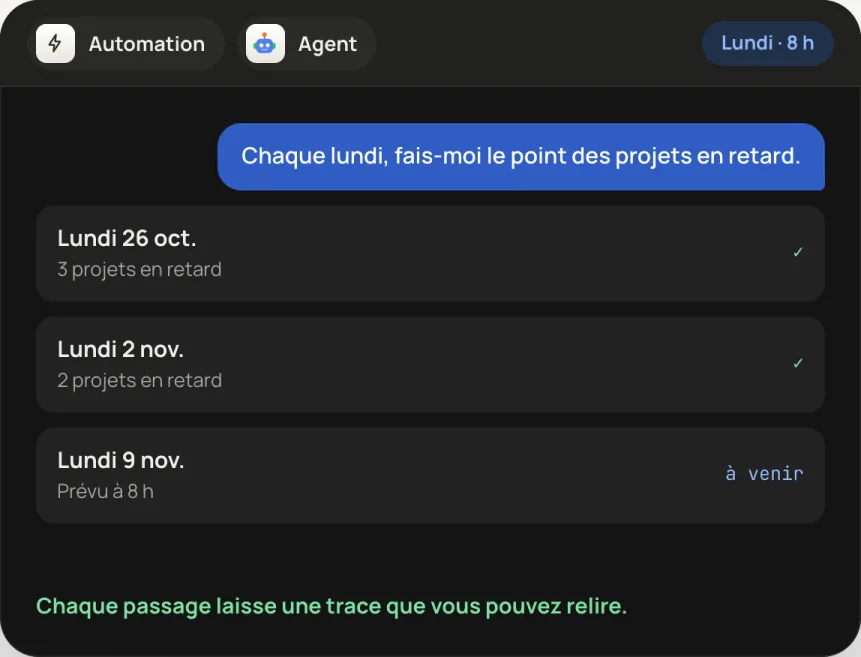
Nexus agents are Claude Code or Codex, under each person’s own subscription: we don’t resell AI. They call the actions of the software and its applications with that person’s permissions, set project by project, and every action is written to the log.

- ReadRead the project record, its tasks, its decisions and its memory before writing.
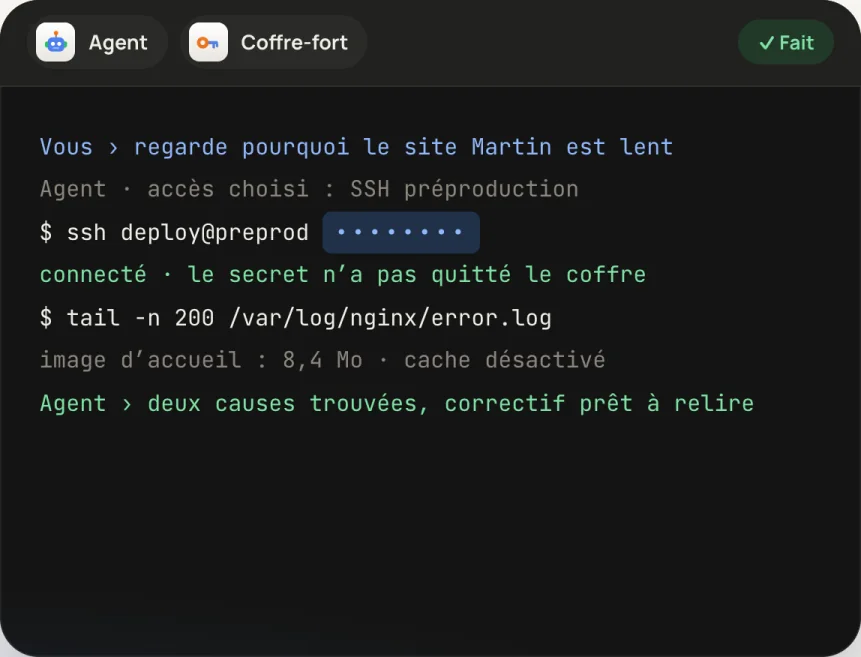
- Log inUse a credential from the vault to reach a server or a piece of software, without the password passing through the conversation.
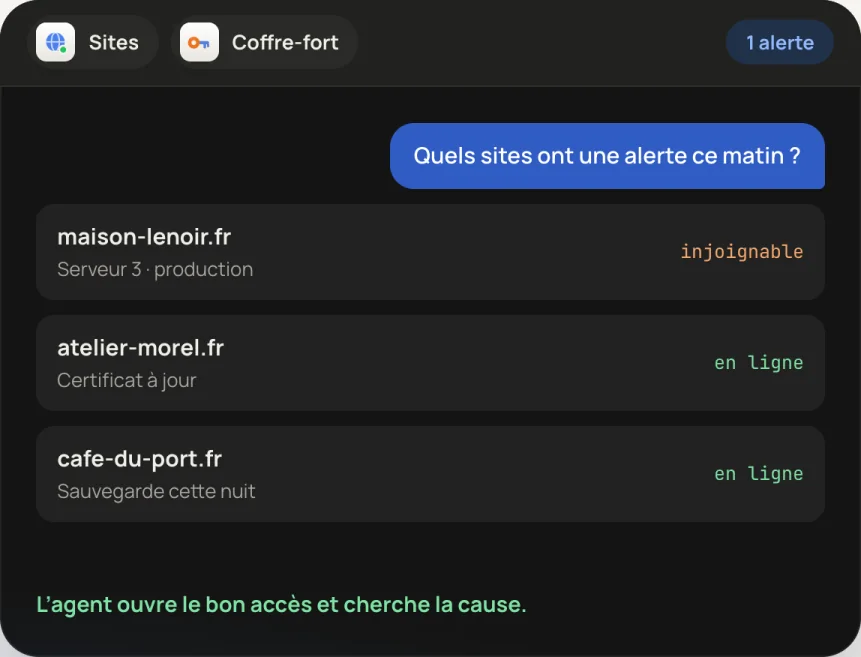
- InvestigateRead a server’s logs when monitoring raises an alert, then propose a fix.
- DeliverTake a request on a branch, check it in the preview and deploy it to pre-production.
- RecordReport every action in the log and in the project record.
You approve
- A quote, an e-mail to a client, a release to production: nothing goes out without your approval.
- What an agent is allowed to do, project by project; deleting an access or signing is refused by the server.
- Stopping an agent, in one click, at any time.
You write to the agent: « The shop isn’t responding: find the cause and propose a fix. »
The agent connects to the server with the credential from the vault, without seeing the password, reads the logs and finds a full disk. The on-call person receives the diagnosis and the proposed fix, and approves it from their phone. The site comes back up; the project record keeps the incident, its cause and the action that fixed it.
Who it's for.
- You run a web or communications agency, or a design or video studio, of two to thirty people, and your projects live in a dozen tools that don’t talk to each other.
- You are a self-employed digital professional and want a single tool for your projects, credentials, clients and agents.
- You run or work in an SME without writing code, and mainly use Pilote, Message, Agenda, Note and Social Hub.
What il can do, in detail.
- One project that brings everything together
- A project’s brief, code repository, creative work, documents, tasks and decisions are in one place, surrounded by the Studio, the business apps and the site portfolio.
- Agents under your subscription
- Claude Code or Codex work under each person’s own subscription: Nexus does not resell AI. They read the project record, its tasks and its memory before acting.
- A vault for credentials
- Agents use the credentials in the vault without the password ever passing through the conversation. The server itself prevents an agent from deleting credentials or signing.
- An end-to-end workflow
- Request, task, design, code, staging, acceptance testing, production, monitoring: each stage has its own screen, and nothing goes to production unless requested.
- Data in known locations
- On your computer, with Nexus on a server in Europe hosted by IONOS, or with the AI provider: each piece of data has its location, and you know which one.
How it works.
What goes in
- Your projects and their decisions
- Your websites and servers
- Your credentials, kept in the vault
- Your documents and figures
Nexus- Read the context
- Act with minimal permissions
- Log every action
What comes out
- A monitored website
- A reviewed deliverable
- An up-to-date dashboard
- Anything that commits the business awaits your approval
Day to day.
The first launch takes four screens: “Your tools”, “Your workspace”, “Your code”, “Your project”. After that, the day starts on the home screen: your tasks in progress and the team’s recent activity.
A client writes a request on their portal; it becomes a task in one click, with its conversation. An agent picks it up on a branch, checks it in the preview and deploys it to staging. You look at the result, circle what is wrong, then decide whether it goes to production.
Meanwhile, the site portfolio keeps watch: uptime, incidents, backups, certificate and domain expiry dates. A lasting outage triggers an alert, and sites on the same server are grouped together.
An alert on a Sunday evening, step by step.
- The website stops responding
Monitoring detects that an online shop is unreachable at 9.12pm and raises an alert.
- An agent investigates
It connects to the server using the vault credentials, reads the logs and finds a full disk.
- A person decides
The on-call engineer receives the diagnosis and the proposed fix, and approves it from their phone.
- Everything is recorded
The website is back up; the project record keeps the incident, its cause and the action that fixed it.
Real-world examples.
A whole portfolio of sites monitored without a spreadsheet.
Communications agency, 12 people
Certificates, backups, updates and uptime for every site are reported on the same screen, with an alert before expiry rather than after.
30websites monitored by a single person
Credentials no longer travel by e-mail.
Accountancy firm, 18 people
Login details for clients’ software are kept in the vault. When a team member leaves, they take nothing with them: their access is removed in one action.
0password sent in plain text
A project taken over in a morning.
Manufacturer, 80 employees
When the project manager changes, their successor reads the record: dated decisions, versions, exchanges and open tasks.
½ dayto take over a project in progress
Companies described by sector and size. Figures are orders of magnitude, given as examples.
What il replaces.
- The dozen tabs open for a single project: task manager, mock-ups, password vault, code repository, messaging, monitoring, documentation, large file transfer.
- Passwords sent by e-mail or pasted into a chat.
What stays with a person.
Nexus prepares, checks and records. These steps remain yours:
- Approve a quote, an e-mail to a client or a go-live.
- Set what an agent is allowed to do, project by project.
- Connect a bank, a mailbox or a social network.
- Stop an agent, at any time.
What il doesn't do.
Worth knowing before you choose:
- Nexus does not necessarily replace your GitLab repository or your Figma mock-ups: it connects them.
- AI is not included: everyone keeps their own subscription, and an account is not shared between colleagues.
- The desktop app runs on macOS (Apple Silicon) and Windows; macOS Intel and Linux are in preparation.
- Nexus is not an autopilot: the agent prepares, a person decides.
With your tools.
Nexus connects to what the business already uses, rather than asking it to change.
- GitLab and GitHub for code
- Servers, over SSH and SFTP
- Google, Microsoft and Apple for calendar and e-mail
- Qonto and other banks
- Meta, LinkedIn, Google and TikTok
- Claude, OpenAI, Gemini and Mistral AI